The whole LinkedIn motion, in one click.
Run it by telling it what you want.
Shared dashboards are here, starting with LinkedIn: four apps that build on each other, added to your workspace in one click. Everything on them now runs from the chat. And testing a new audience, the work that used to take weeks, takes about two minutes.
Tiles were the start
People have loved building tiles. And the first thing almost everyone asked next was how to add on. A list is only useful if something works it. The follow-ups need a way to test the next idea. The test needs somewhere to report. Until now that meant finding each app on its own and wiring them together yourself.
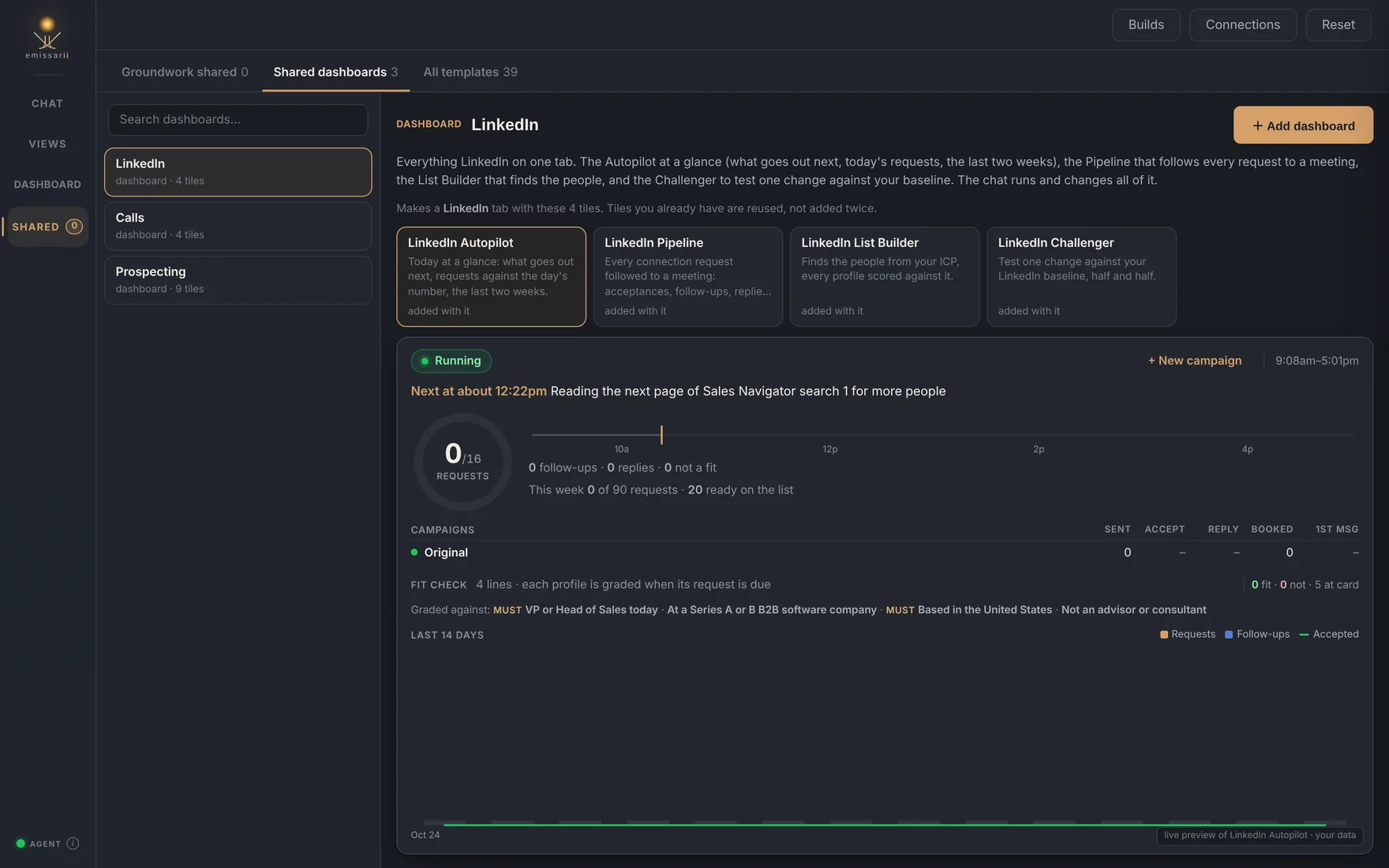
Shared dashboards make it a single click. Open Shared, pick a dashboard, and every app on it arrives together, already connected to the others. Apps you already have are reused, not added twice. LinkedIn is the first one we’re announcing:
- LinkedIn List Builder finds the people who match your ideal customer, every profile scored against it, and feeds them to the Autopilot.
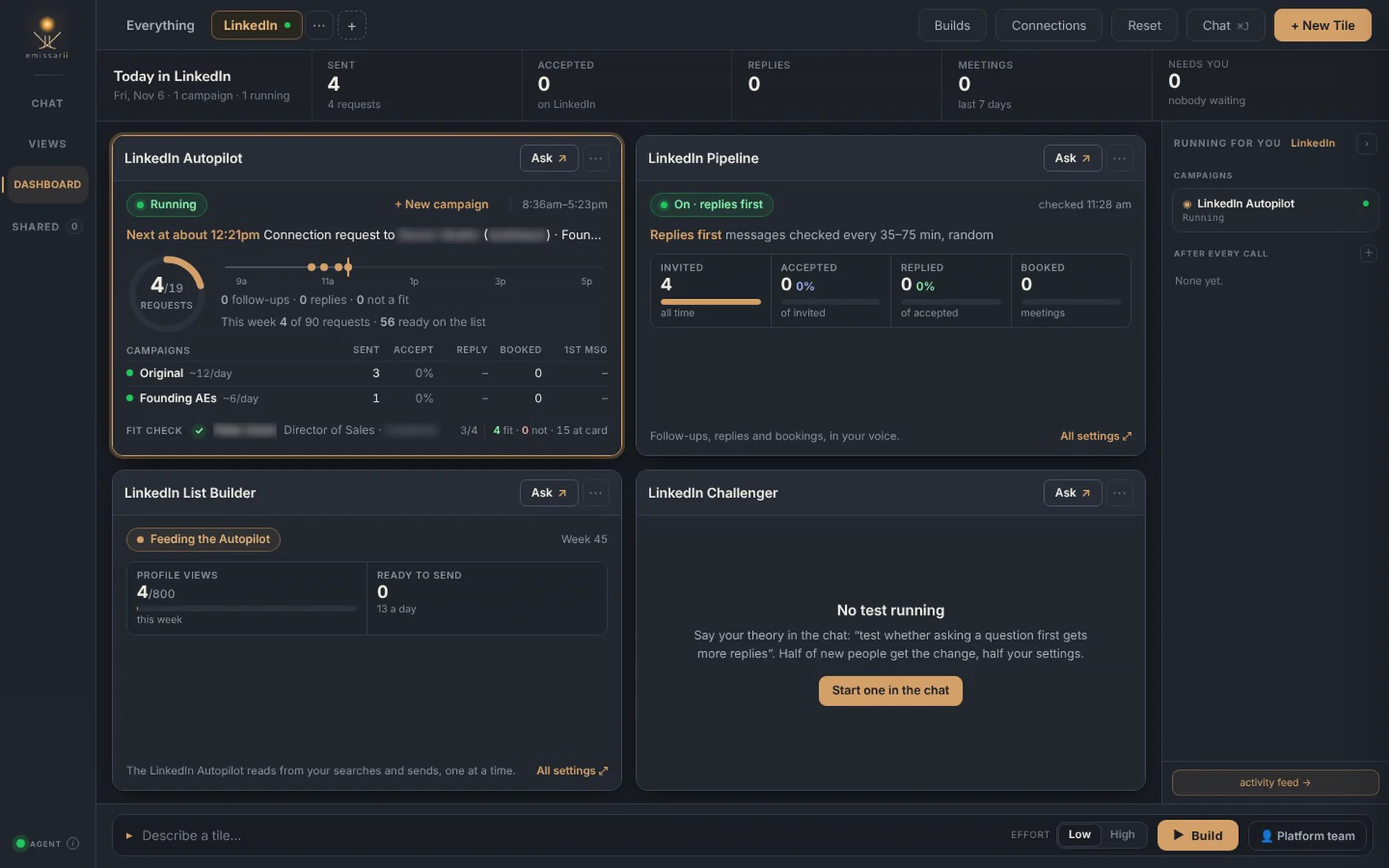
- LinkedIn Autopilot sends 15 to 20 connection requests a weekday at a human pace from your own Chrome, and runs campaigns side by side. A new campaign takes a share of the day instead of adding volume LinkedIn would notice.
- LinkedIn Pipeline follows every request to a meeting: the follow-ups, answers to replies in your voice, and the booking link when someone is ready. Replies always go first.
- LinkedIn Challenger tests one change against what’s already working, half and half, and keeps it only if it wins.
Stop managing tiles. Say what you want.
Four connected apps come with a lot of settings: the pace, the working day, the connection note, the follow-ups, the fit check, who gets skipped, when the booking link goes out. You shouldn’t have to know where any of them live. So all of it now runs through the chat. Tell it what you want in your own words and it finds the setting, shows you exactly what will change, and does it.
The tiles still show you everything at a glance; they just never send you hunting for a settings page. And anything that reaches a real person asks you first.
A new audience in about two minutes
Testing a new target is real work. Pick the audience. Research who they are and where to find them. Write messaging that fits them. Then run it next to what you already do and measure it honestly, so you know whether it’s actually better. For most teams that’s weeks per idea, which is why most teams only try a few ideas a year.
Here’s what it looks like now. We wanted to try founding AEs: people at small companies who have to sell and build the sales process at the same time. One sentence in the chat:
Add another campaign where we target founding AEs on LinkedIn at smaller companies, and tweak our messaging: we’re purpose-built for founding AEs who have to sell and build out the sales tooling and process at the same time. The whole brief
- A few questions, once. It asks only what you didn’t say, each with a suggested
answer: how big a test, who exactly, the connection note, the follow-ups.
Looks good
is a complete answer. - The research and the list. It builds the Sales Navigator search from the titles (with the variants LinkedIn uses), company size and region, reads the first page in your Chrome to show you who it actually finds, and writes the fit check every profile is graded against before anyone gets a request.
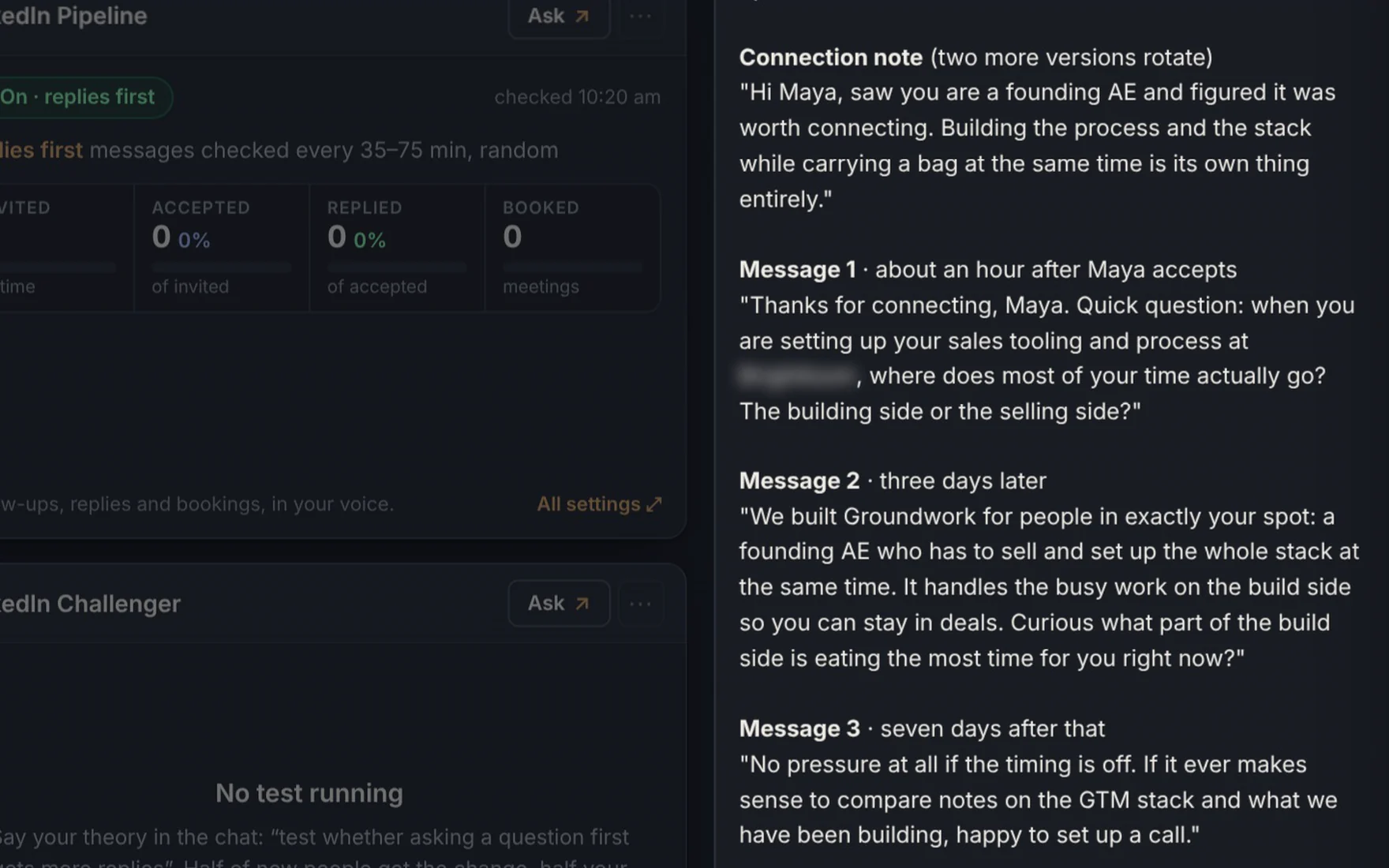
- The messaging. A connection note in three versions that rotate, and three follow-ups, in your voice, filled in for a real person from the list so you read them the way they’ll be read.
- Live after one yes.
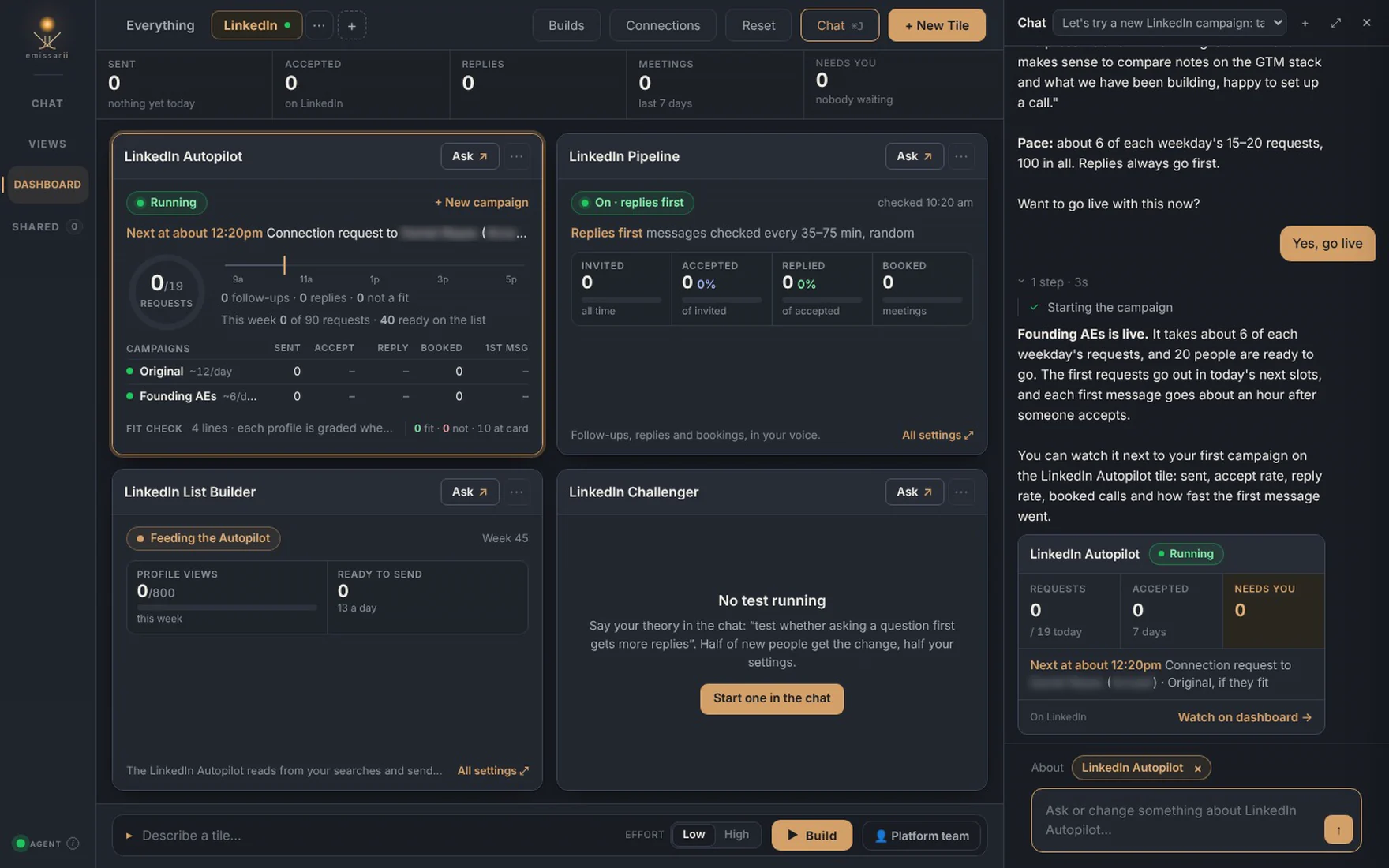
Want to go live with this now?
Say yes and it takes its share of each weekday’s requests from the next slot. The first message goes out about an hour after someone accepts, the way you’d answer if you were prospecting by hand. - Measured against what you do now. Sent, accept rate, reply rate, booked calls and how fast the first message went, side by side with your current campaign, counted from the day the new one launched. Until there’s enough to call, it says too early.
From the first sentence to a live campaign, that’s about two minutes. Honestly, it feels like magic the first time. But the speed is the real point. When a new target or a new message costs two minutes instead of two weeks, you stop debating which audience might work and start finding out. You can keep iterating that fast, and the best targets and the best messages show up in weeks, not after months or years of exploration.
What you need
The LinkedIn dashboard runs in your own Chrome with the Emissarii Research Agent, signed in to LinkedIn as you, from a Sales Navigator or LinkedIn search you choose. Connect Google Calendar or Outlook and booked calls are counted on their own. Like every app From the Field, it arrives empty: your settings, your leads and your results stay on your machine.
The LinkedIn dashboard is free with every workspace, starting today. Leave your email for your key and the download, add the dashboard in one click, then tell it who you want to try next.